
You can check if your version of Certainty is up to date. Version information is also helpful when troubleshooting any bugs or issues and should always be included if you contact support.
Checking the Admin Portal version
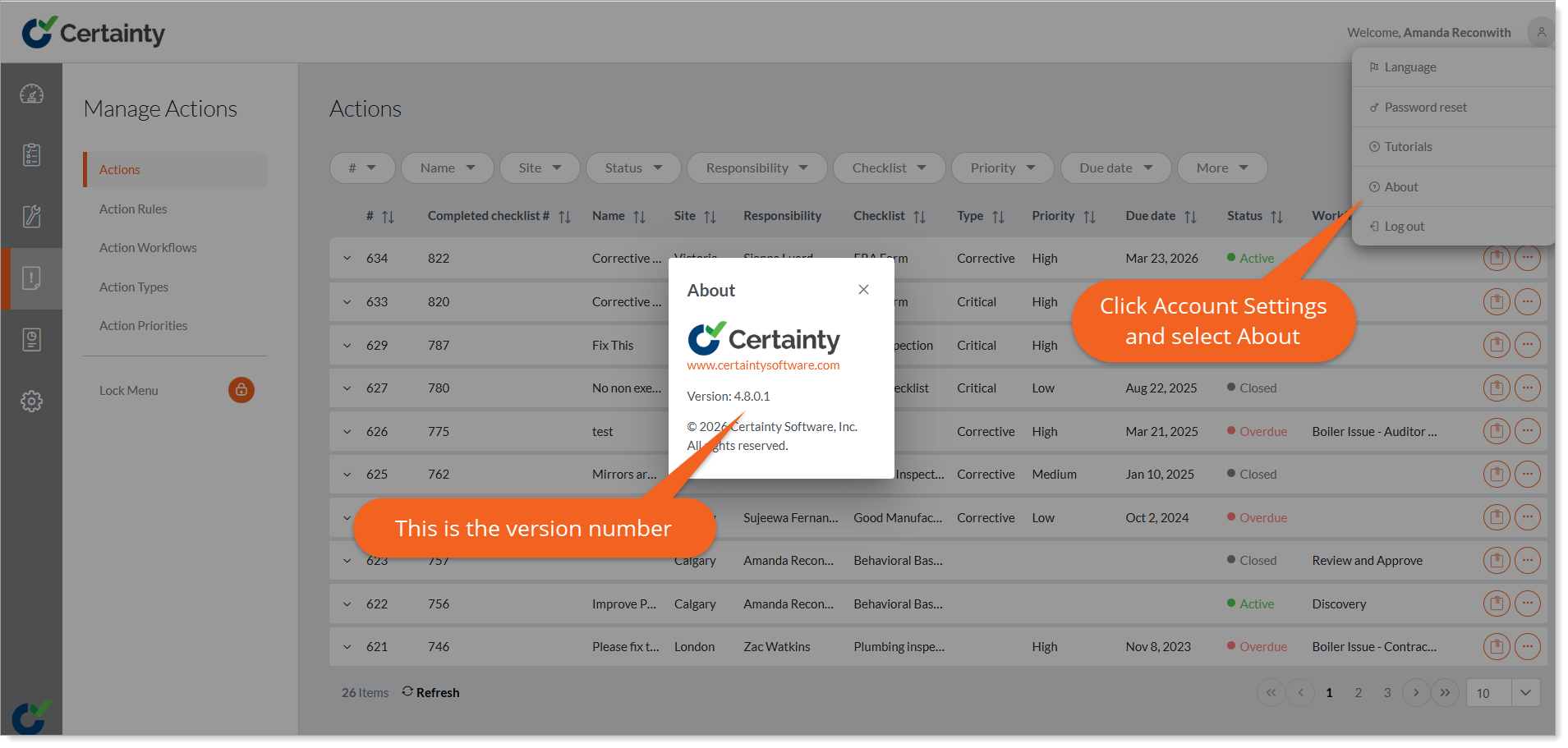
- Open 'Account Settings' by tapping the icon in the top right corner of the screen. screen.
- Tap ' About' to open a pop up with the version number.
- Compare this version number with the most recent Admin Portal version. You will find this in 'Product Updates - Release Notes'.
Notes
- The Admin Portal is a web app and is regularly updated by Certainty Software. When updated the changes take effect for all users of the Admin Portal.
- Check 'Product Updates - Release Notes' for information of new releases and what has changed.
- Regularly update your instance of Certainty to make sure you have access to the latest features and bug fixes. Contact Certainty Technical Support if you have questions.