Checklist Library – Overview
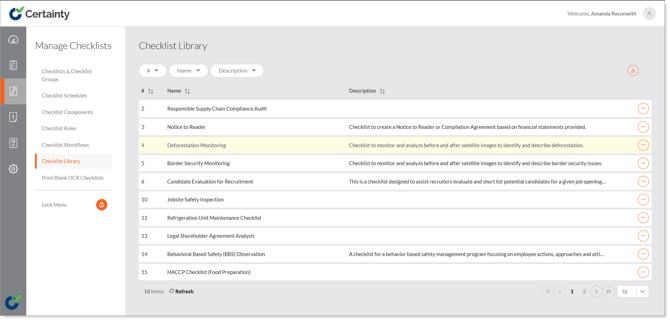
The 'Checklist Library' is a collection of template checklists provided by Certainty that can be imported and edited to suit your project.
To import a checklist from the 'Checklist Library':
- Go to ‘Manage Checklists – Checklist Library.
- Click on the ‘Options’ button next to the checklist you would like to import.
- Select ‘Import’.
- In the confirmation pop up that appears select ‘Yes’ if you are sure.
The checklist will be imported and available in ‘Checklists & Checklist Groups’ and all elements will be added to 'Checklist Components'.