Deleting actions and action comments
You can delete actions and action comments in ‘Manage Actions – Actions’.
To delete an action:
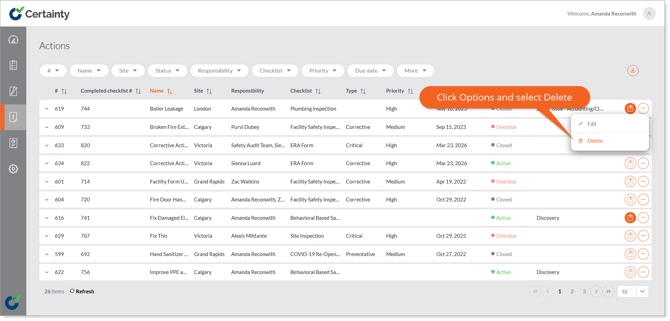
- Go to 'Manage Actions’. The ‘Actions’ table will open.
- In the table click the 'Options' menu on the right side of the row of the action you would like to delete.
- Select the ‘Delete’ option.
- Click ‘Yes’ to confirm you are sure in the pop up that appears.
To delete a comment:
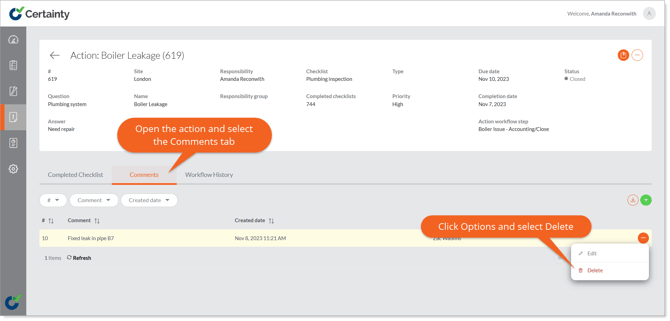
- Click the row of the action where you would like to delete a comment.
- Go to the 'Comments' tab below the action details.
- Click the ‘Options’ menu on the right side of the row of the comment you would like to delete.
- Select the ‘Delete’ option.
- Click ‘Yes’ to confirm you are sure in the pop up that appears.