
Editing actions
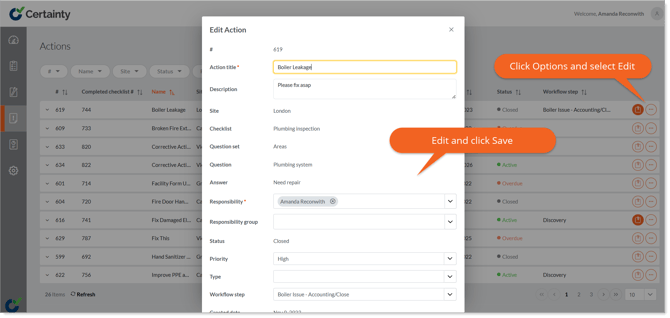
You can edit actions in ‘Manage Actions – Actions’ in the Admin Portal.
To edit actions:
- Go to ‘Manage Actions – Actions’.
- Find the action you want to edit.
- Click the ‘Options’ button on the right side of the row to open the ‘Edit Action’ form.
- Change the details as required.
- Click ‘Save’
Notes
- If an action has files or images attached, the ‘File’ icon will be highlighted when you view the action in the table. Click the highlighted ‘File’ icon to view any attached files or images.
Learn this next...
How do I add files and images to Actions in the Admin Portal?