
A ‘conditionally mandatory’ answer becomes mandatory ONLY if certain conditions are met.
Answers that are conditionally mandatory are denoted by an asterisk (*) in the 'Checklist Builder'.
Conditional mandatory answer types are set up just like conditional answer types, but you tick the conditional mandatory box as well and select the options that will require a mandatory answer.
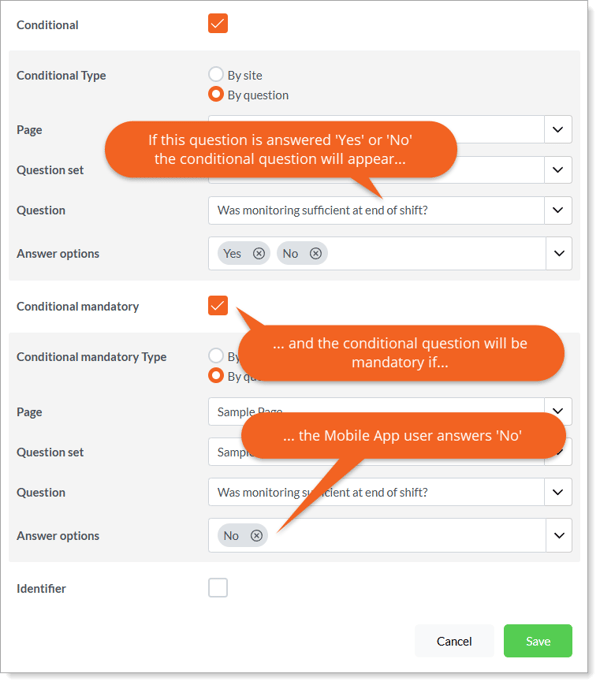
In the example, the answer type will appear when the user selects ‘Yes’ or ‘No’ (but not when ‘N/A’ is selected) and will be mandatory if the answer is ‘No’.
Learn this next...
How do I preview, publish, save, and duplicate Checklists in the Admin Portal?