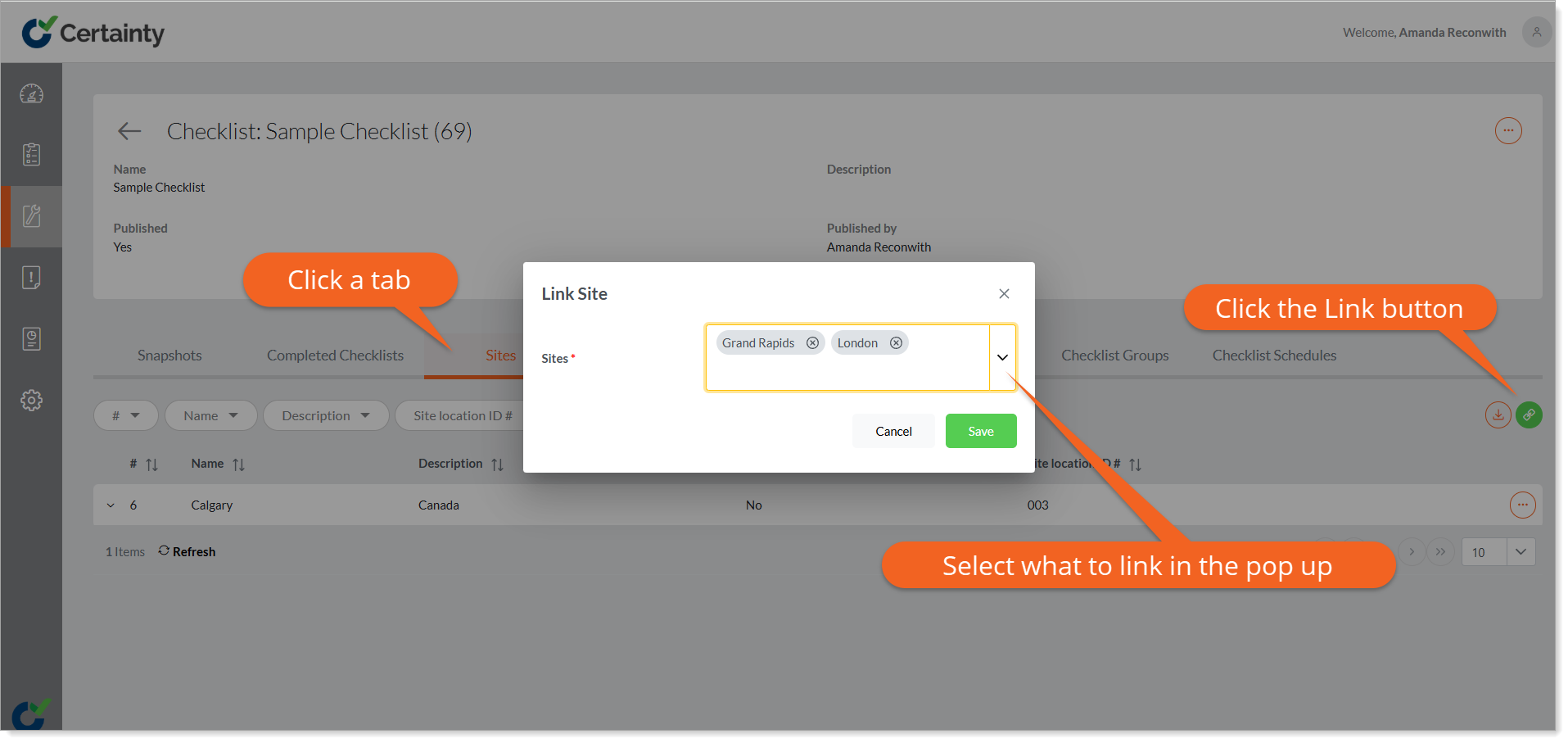
Linking sites, site groups, users, user groups and checklist groups to Checklists.
You can link sites, site groups, users, user groups for Mobile App access and checklist groups for organizing checklists in 'Manage Checklists - Checklists & Checklist Groups - Checklists'.
To link Sites, Site Groups, Users, User Groups and Checklist Groups to a Checklist:
- Go to ‘Manage Checklists – ‘Checklists & Checklists Groups – Checklists ‘ to open the checklist table.
- Click on a row in the table to open the checklist details page.
- Click one of the tabs that appear below the checklist details. A table will appear below the tab.
- Click the green ‘Link’ button and select the record(s) you’d like to associate with the checklist.
- Click ‘Save’.
You can also do this from the checklist ‘Edit’ form.