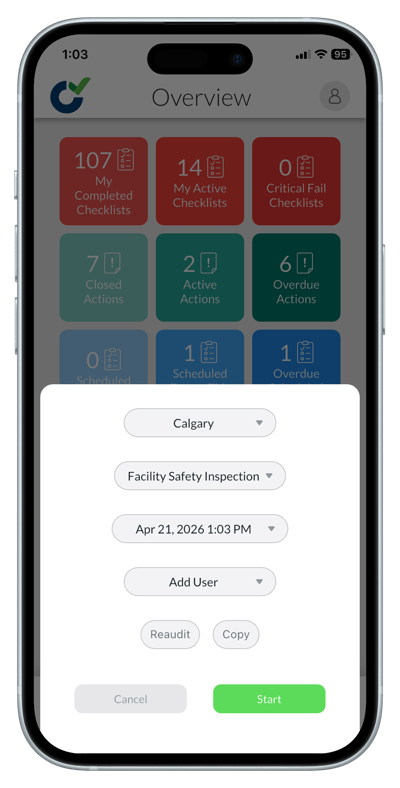
What is the difference between Reaudit and Copy?
Reaudit - The checklist will appear as if you started it from scratch, but previous answers will be available to view as you complete the checklist.
Copy – The checklist will appear with any previous answers already selected or filled out when you complete the checklist.
To Reaudit or Copy
1. Start a checklist by tapping the green 'Start' button at the bottom of the screen.
2. Select a site.
3. Choose a checklist.
4. Depending on the checklist you have chosen you may now have to pick a workflow.
5. If your administrator allows you to add additional users that will also be able to work on the checklist, add their names.
6. Select 'Reaudit' or 'Copy'.
7. Select the previous checklist you would like to reaudit or copy.
8. Tap 'Start'.