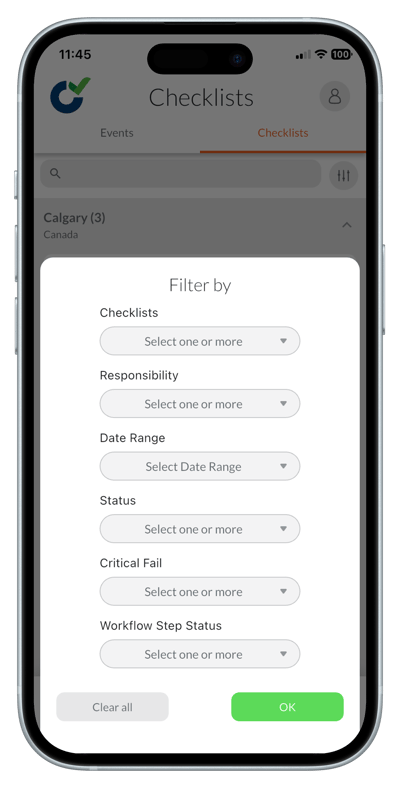
Filtering to find checklists and actions
- Open the 'Checklists' or 'Actions' tab.
- Tap the filter icon in the top right corner.
- Choose your filter options.
- Click 'Ok' to apply the filter.
Searching to find checklists and actions
- Open the 'Checklists' or 'Actions' tab.
- Tap the search bar at the top.
- Type keywords (e.g., checklist name, action title).
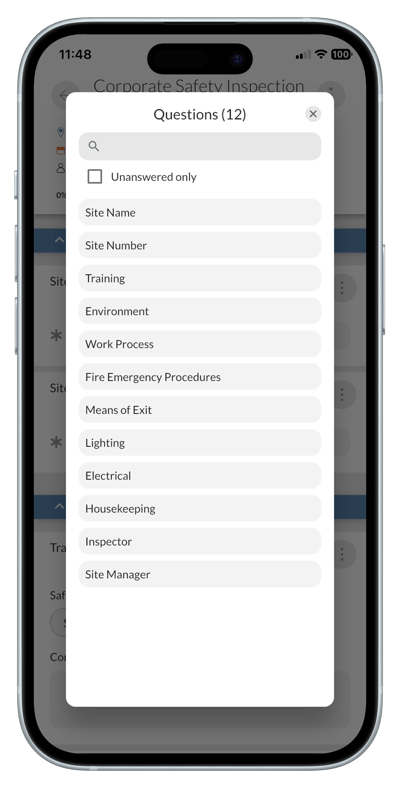
Searching for questions in a checklist
- Go to the 'Checklists' tab and open the checklist.
- Tap the 'Options' menu in the top right corner of the screen.
- Tap 'Search'.
- A pop up will appear.
- Type keywords (e.g., a keyword from a question) and check the box to include only unanswered questions if you want to limit your search results.
- Tap a question in the results to be taken directly to it in the checklist.