
Skip to content
English
  • There are no suggestions because the search field is empty.

How do I start a Checklist in the Mobile App? 

The Certainty Mobile App is designed for field users who complete audits, inspections, assessments and similar processes. It allows you to capture data using checklists, attach photos and files, record actions or findings, work offline, and submit results back to the Certainty Admin Portal.

Starting a checklist

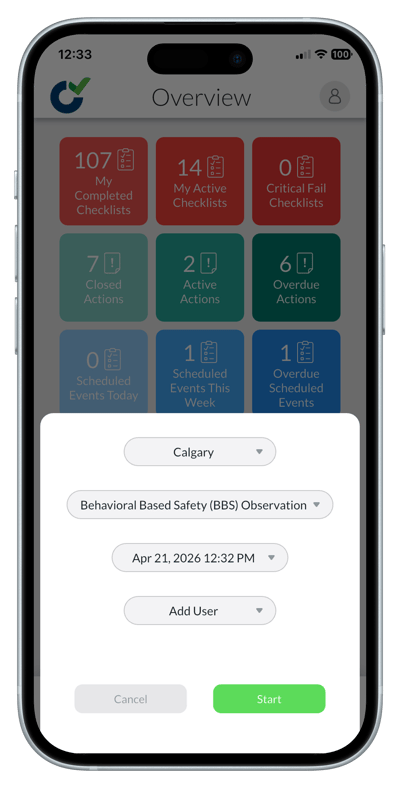
1. Start a checklist by tapping the green 'Start' button at the bottom of the screen.

2. Select a site.

3. Choose a checklist.

4. Depending on the checklist you have chosen you may now have to pick a workflow.

5. If your administrator allows you to add additional users that will also be able to work on the checklist, add their names.

6. Tap 'Start'.
IMG_2972-portrait

Learn this next...

How do I complete a checklist in the Mobile App?

How do I add a new Checklist in the Admin Portal?