
Skip to content
English
  • There are no suggestions because the search field is empty.

How do I view Reports in the Mobile App?

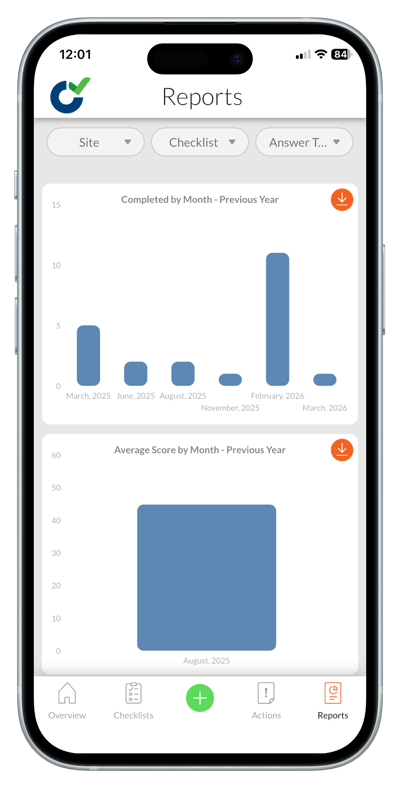
Reports in the Mobile App give you a quick overview of activity. You can filter by site, checklist, or answer type to view monthly completion totals, average scores, and answer‑level analysis for the previous year.

Reports in the Mobile App

  • Filter reports by site, checklist, or answer type
  • View completion totals by month
  • Review average scores (when available)
  • See answer‑level breakdowns
  • Download report data for further review
reports 1

Notes

  • Some report types may show 'No data' depending on your filters.
  • More detailed reporting is available in the Admin Portal.

Learn this next...

 How do I change the language in the Mobile App?