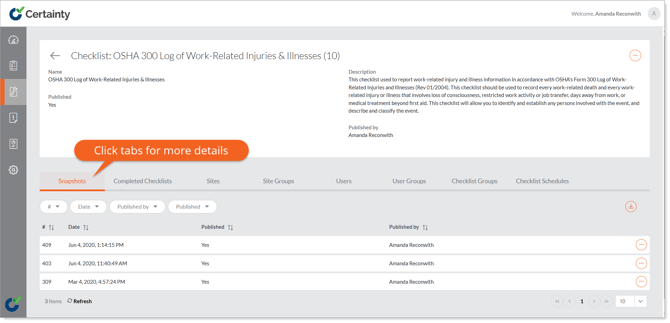
You can view snapshots, audits and inspections (completed checklists), sites, site groups, checklist groups and schedules associated with a checklist in ‘Manage Checklists – Checklists & Checklists Groups – Checklists ‘.
To view records associated with a checklist:
- Go to ‘Manage Checklists – ‘Checklists & Checklists Groups – Checklists ‘ to open the checklist table.
- Click on a row in the table to open the checklist details page.
-
Click one of the tabs that appear below the checklist details. A table of associated records will appear below the tab.