
You do not create or manage events in the Mobile App, that is done by administrators in the Admin Portal, you simply complete events as they become due.
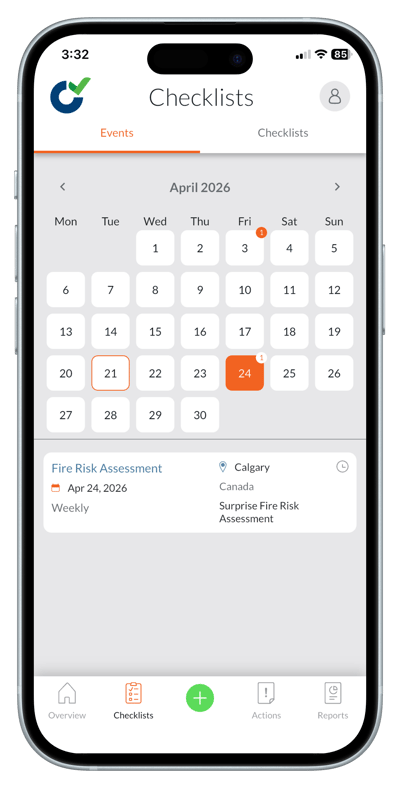
Where events appear:
- 'Scheduled Events Today' tiles
- 'Scheduled Events This Week' tiles
- 'Overdue Scheduled Events' tiles
- The 'Events' tab
Availability window
Events may appear:
- A number of days before the scheduled date
- A number of days after the scheduled date
If not completed in time, they become overdue.
Completing an event
- Open the event by tapping it.
- Tap the green 'Start' button.
- Complete and submit the checklist.
Notifications
Depending on your organization’s settings, you may receive:
- Immediate notifications about events
- Reminder notifications about events