Linking users with a completed checklist
To link a user to a completed checklist:
- Go to 'Manage Completed Checklists' – 'Completed Checklists'.
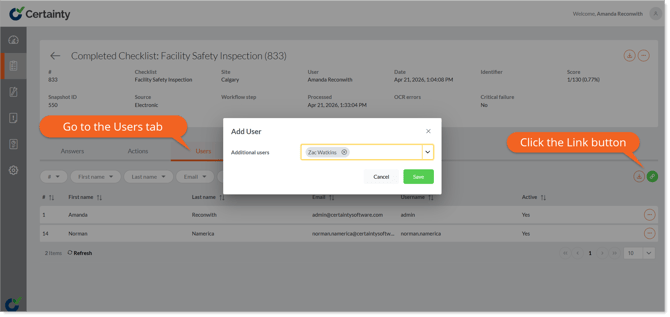
- Click on a row in the main record table to open the completed checklists details page.
- Click the ‘Users’ tab. The corresponding table will appear below the tab.
- Click the green 'Link' button and select the name(s) of the user(s) you’d like to associate with the completed checklist.