
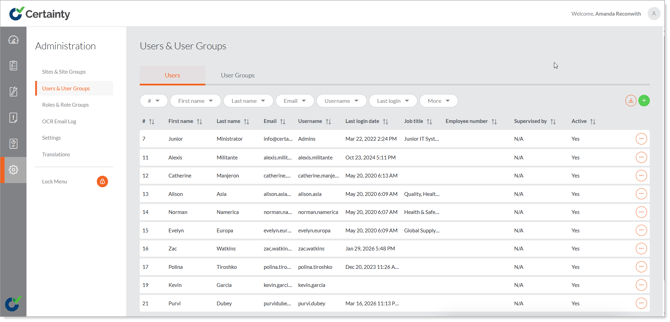
Users & User Groups – Overview
The 'Administration - Users & User Groups' area allows administrators to manage (add, delete, edit, activate and archive) users and create groups of users for reporting, monitoring results of completed checklists, action responsibility and managing access and permissions.
You can add as many users as your licence allows but we recommend you limit the number of users with administrator permissions to only those that need it.
Notes
- Important! If you want a team member to be able to submit completed checklists (inspections, assessments, audits, observations, etc.), they must be added to Certainty as a user with access to the mobile app and have access to the site with that checklist allocated – or linked – to it.