
Viewing completed checklists
To view completed checklists:
-
Go to 'Manage Completed Checklists' and select the 'Completed Checklist' tab.
-
Completed checklists are displayed in rows in the ‘Completed Checklists’ table.
-
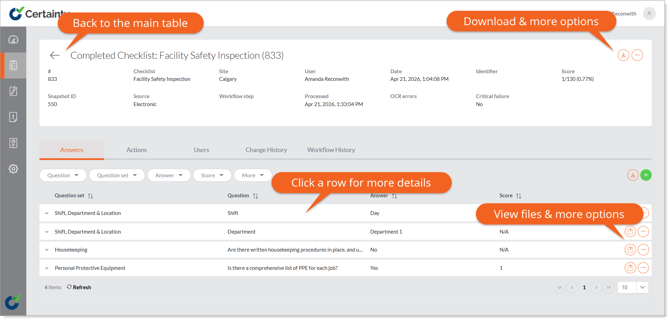
Click anywhere in the row of the checklist you want to view, and the full details will appear.
Notes
-
To download a PDF version of a completed checklist, including a summary of actions related to the checklist, click the download button on the row of the completed checklist you wish to download.
Learn this next...
How do I search, filter and sort completed checklists in the Admin Portal?