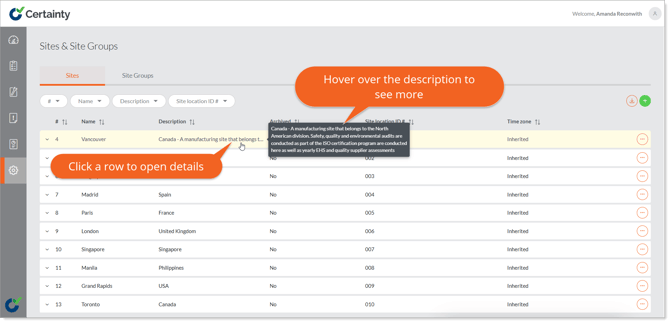
Once a site has been added to Certainty, it can be viewed in the Admin Portal in the ‘Administration' area under the 'Sites' tab.
To view sites:
- Go to Administration' and select the ‘Sites' tab.
- Sites are displayed in rows in the ‘Sites’ table.
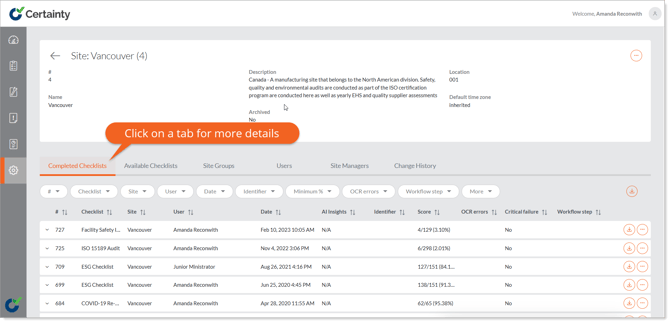
- Click anywhere in the row of the site you want to view, and the site details page will appear.
- Clicking the ‘Options’ button in the top right corner and selecting ‘Edit’ will open the site edit form.
- Clicking any of the tabs below the site details will open tables with more details about checklists, site groups, users, site managers and change history associated with the site.