
Checklists & Checklist Groups
Checklists are forms created in the Admin Portal and published to the Mobile App for auditors and inspectors to complete in the field during audits and inspections. They are the central feature of Certainty and ensure that audit and inspection data is consistent and comparable across locations over time.
Using checklist groups helps organize checklists for both Mobile App users and users in the Admin Portal. Checklist groups are also helpful when reporting on audit and inspection results.
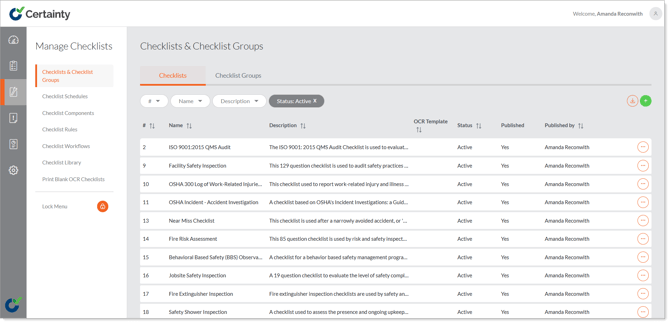
Checklists are hierarchical in nature and are comprised of:
- A main details form
- Pages
- Question sets (groups of questions)
- Questions
- Answers (answer types and answer options)
In Certainty you can create checklists in several ways:
- You can create a new checklist one component at time using the ‘Checklist Builder’ tool in ‘Checklists & Checklist Groups’.
- You can create a collection of components (pages, question sets, questions, answer types and answer options) first in ‘Checklist Components’ to use and reuse as building blocks for many checklists.
- You can import a template checklist from the ‘Checklist Library’ and edit it.
- You can duplicate a checklist and change it for a new purpose.