Creating Statuses for Checklist Workflow Steps
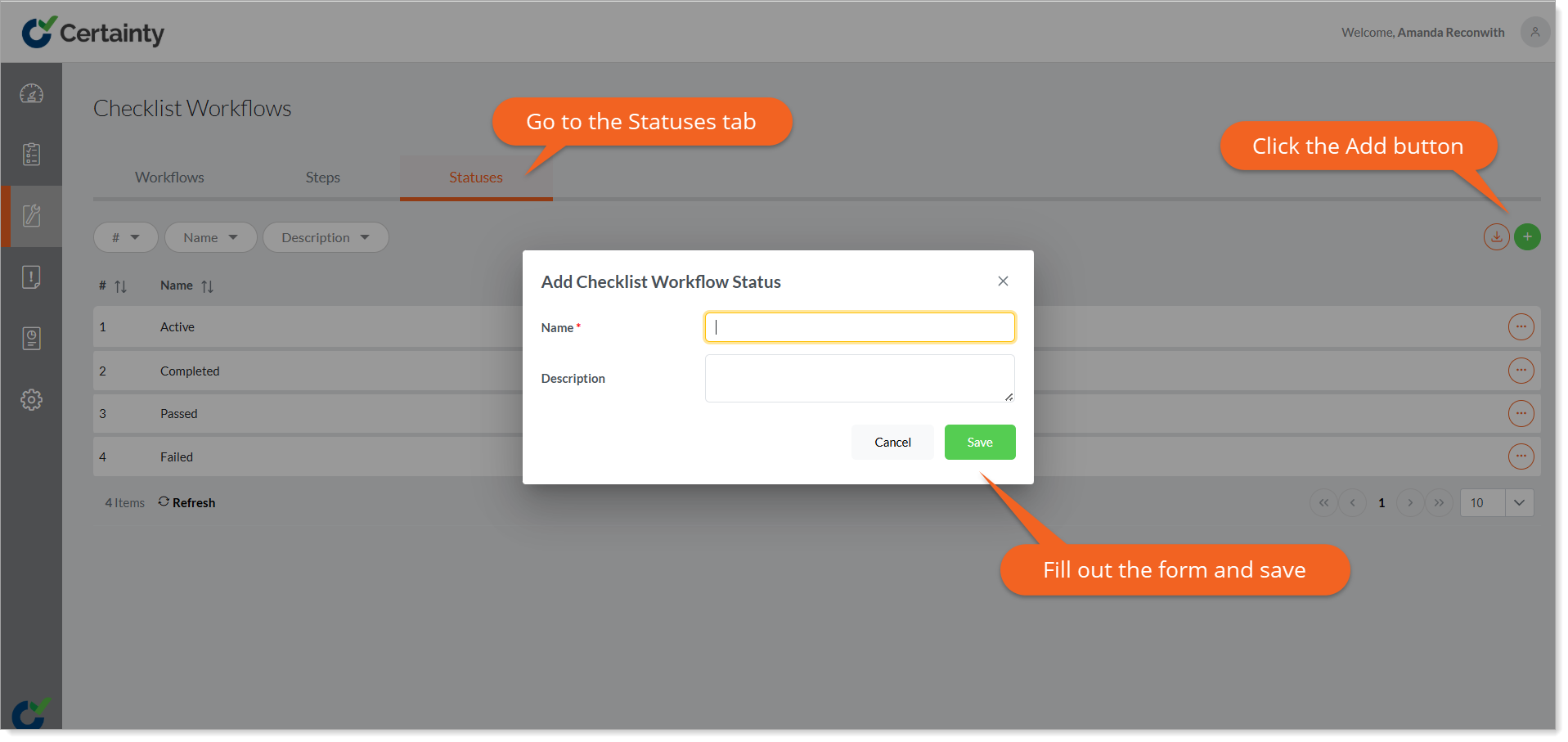
By default, Certainty has ‘Active’ and ‘Completed’ status for checklist workflow steps, but you can customize and add your own. You can filter and report checklists based on the status of the workflow step they are in.
To create a checklist workflow step status:
- Go to ‘Manage Checklists – Checklist Workflows’ and click the ‘Status’.
- Click on the green ‘Add’ button to open the ‘Add Status’ form.
- Checklist Workflow Status needs a name and can be given an optional description.
- Click ‘Save’.
Notes
- Checklist workflow step status will be displayed in grid filters, report parameters and Mobile App tiles so you will be able to easily find, report and manage checklists based on the status of the workflow step they are in.